
Jigsaw Puzzle - Countryside
Mint XX GamesBoard
4.6239.00 Reviews
- Version
- 1.2.0
- Installs
- 100.00K
- Age Rating
- Everyone
Screenshots
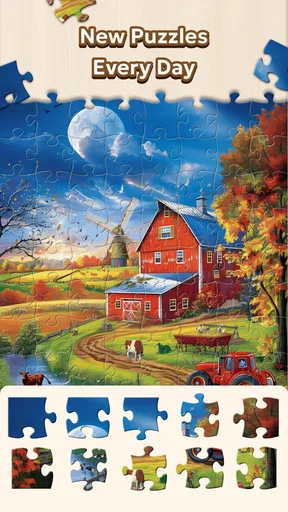
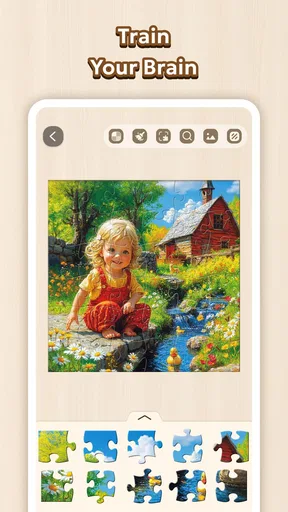
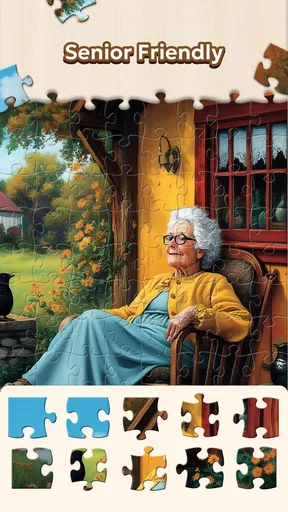
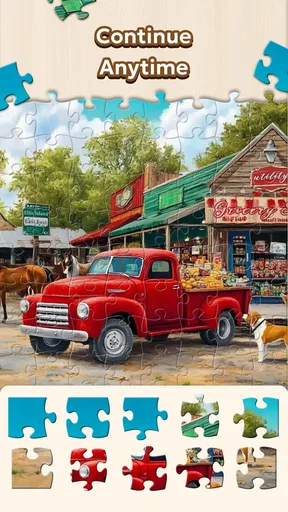
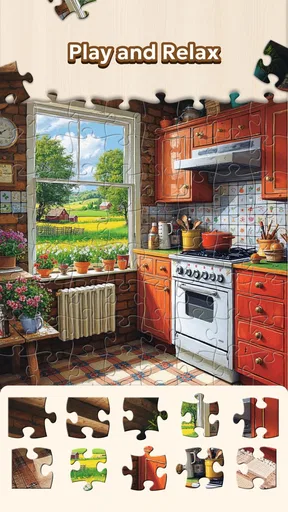
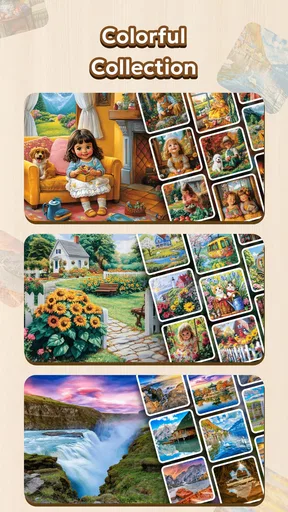
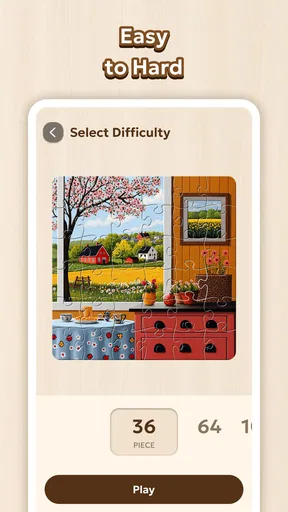
Our Review of Jigsaw Puzzle - Countryside
 Analysis by Appyee
Jigsaw Puzzle - Countryside is the kind of board game I open when I want my phone to become quieter rather than more demanding. Its main appeal is simple: a large collection of countryside-themed jigsaw puzzles gives me a focused activity that can fill a short break or settle into a longer, more patient session. I found the experience most convincing when I treated it as a way to slow down, not as a game I needed to rush through.
Developed by Mint XX Games, this free game is aimed at Everyone and belongs to the board category. It has reached over one hundred thousand installs and holds a 4.6 average from around ten thousand ratings, which fits my impression that its straightforward format is easy for a wide range of players to understand. The current version is 1.2.0, and it runs on Android 6.0 or later.
The capability that defines the whole experience is the collection of more than ten thousand high-definition jigsaw puzzles. That number matters less as a statistic than as a practical promise: I am unlikely to run out of scenes quickly, and I can return to the game without feeling that I am simply repeating the same small set of boards. The countryside focus also gives the app a calmer identity than puzzle games built around bright effects, competition, or constant rewards.
Why the large puzzle collection changes the experience
At first glance, a large puzzle library sounds like a quantity feature. In use, I think its real effect is choice. I can pick a scene that matches my mood instead of accepting whatever board happens to be presented. A landscape with strong color differences is easier when I want a relaxed session, while a more detailed rural image gives me something that demands closer attention.
That choice makes the game useful in several different moments. I can spend a few minutes placing obvious pieces while waiting, or stay with a difficult image when I want an activity that keeps my hands and eyes occupied. The same app therefore feels different depending on how deliberately I choose the puzzle. This is more valuable than simply having a long list of nearly identical boards.
The high-definition presentation helps most when the image contains small visual differences. Fine edges, fence lines, roof shapes, tree branches, and patches of color become clues rather than decoration. I still need patience, but I am not relying only on vague blocks of color. The image itself gives me information to work with, which is exactly what I want from a digital jigsaw.
There is also a useful mental shift here. A traditional puzzle takes over a table and remains in progress until I pack it away. This mobile version removes that physical commitment. I can start a board without finding space, losing pieces, or worrying about someone moving the box. That convenience is the strongest reason I would recommend it over a physical puzzle for casual use, although it cannot reproduce the tactile feel of cardboard pieces.
Daily games are another important part of the concept. They give me a reason to return without requiring me to plan a whole session. I see them as a gentle routine rather than a competitive obligation. A daily board can become a small pause between tasks, especially for someone who prefers a quiet visual challenge to scrolling through short videos.
The phrase “train your brain” needs a little perspective. Completing a puzzle does make me inspect shapes, compare patterns, remember locations, and maintain attention. In my experience, though, the clearest benefit is mental engagement and relaxation, not a measurable training program. I would use this game to exercise focus informally, not as a substitute for a structured learning tool or a promise of cognitive improvement.
How I approach a difficult board
My most effective method is to avoid placing pieces randomly. I begin with the areas that have the strongest visual identity: a bright roof, a road, a window, a fence, or a sharply defined horizon. These sections create anchors. Once a few recognizable groups are together, the less distinctive grass, sky, or foliage becomes easier to sort around them.
For countryside scenes, the sky and vegetation are usually the slowest areas because many pieces share similar tones. I handle those sections last instead of letting them consume the whole session. This is a small but important workflow difference: the game feels satisfying when I build momentum first, while starting with a uniform patch can make a pleasant puzzle seem unnecessarily difficult.
I also prefer to divide a session into stages. I first look for corners and straight edges, then collect pieces that share a clear color or texture, and only afterward test uncertain matches. On a phone, this reduces the visual clutter that can come from examining every piece at once. It also makes the game more suitable for short sessions because I can stop after completing one recognizable section and return later.
Another useful habit is choosing the puzzle according to the time available. A highly detailed image is a poor choice when I have only a few minutes, because I may spend the whole break searching without completing a satisfying section. A scene with obvious color separation works better for a quick reset. When I have more time, I welcome the slower board because the search itself becomes the point.
This is where the large library becomes more than a headline feature. It supports a personal difficulty routine. I can alternate between accessible images and more demanding ones instead of treating every session as a test of endurance. Someone new to digital jigsaws can begin with clear scenes, while an experienced player can deliberately choose images where similar textures make the final stage harder.
A realistic everyday use
Imagine finishing a busy day with ten or fifteen minutes before dinner. I would not choose a complex strategy game that requires remembering a campaign or a multiplayer match that might run over time. I would open this puzzle game, select a countryside image with visible landmarks, and complete a small section while letting my attention settle. If I need to stop, the unfinished board is less disruptive than leaving a physical puzzle spread across the table.
The same pattern works during a commute or a waiting-room visit, provided the player is in a safe place and does not need to keep watching the surroundings. The game does not demand the social coordination of a board game with other people, and it does not punish me for taking a break in the way some timed mobile games do. That makes it a good companion for fragmented free time.
For families, the Everyone rating makes the basic concept approachable across ages. I would still choose puzzles carefully for younger players, since a very detailed image may test patience more than skill. An adult and child could also work on the same board together, taking turns to identify matching areas. The app is better suited to shared quiet attention than to a loud group activity, so it will not replace a physical family game night.
Where it differs from usual alternatives
Compared with a physical jigsaw, the obvious advantage is convenience. There is no box to store, no table to reserve, and no loose piece to search for under furniture. The digital format also makes it easy to fit a puzzle into a small gap in the day. The compromise is equally clear: I lose the texture, weight, and physical satisfaction of handling real pieces.
Compared with generic puzzle apps, the countryside theme gives this one a more consistent mood. A mixed catalog can offer greater variety, but it may also feel visually scattered. Here, rural landscapes make the experience feel more coherent. I would choose a broader puzzle app if I wanted animals, cities, abstract art, and other subjects in equal measure. I would choose this game when I specifically want scenery and a calmer visual atmosphere.
It also differs from competitive board games. There is no need for opponents, turn-taking, or a strategy built around beating another person. That is a strength when I want private concentration, but a weakness if I am looking for interaction, bluffing, tactical conflict, or a strong sense of progression. Calling it a board game describes its format, not the social experience of a tabletop game.
Finally, it is not the same as a meditation app. The puzzle gives my mind something concrete to do, which can be more effective for me when empty relaxation feels difficult. On the other hand, someone seeking guided breathing, audio sessions, or completely passive rest should choose a different type of app. The calm comes from focused activity, not from being led through a relaxation exercise.
The costs behind a free download
The game is free to download, which makes it easy to try without committing money at the start. It includes in-app purchases ranging from $4.99 to $29.99 per item. That is the main point I would consider before recommending it to a child or to anyone who prefers a completely purchase-free experience. The free entry is appealing, but the presence of paid items means I would review purchase settings before handing over the phone.
I also think the size of the collection creates a possible decision problem. Having thousands of puzzles is excellent for longevity, but too much choice can make it harder to settle on one. My solution is to choose a simple rule before opening the library: pick a scene with a dominant color, choose a short session, or select a board that looks noticeably different from the previous one. Without a small rule, browsing can become a larger part of the experience than playing.
The digital format brings other trade-offs. A screen is less comfortable than a table for some long sessions, especially when I am examining tiny visual details. Battery use, screen comfort, and the temptation to switch to another app can also interrupt concentration. I would not treat this as an ideal replacement for a physical puzzle during a long weekend afternoon. Its advantage is portability and immediacy, not a richer tactile experience.
The game may also be a poor fit for players who need clear competitive goals. Daily games can create a routine, but a routine is different from a campaign, ranking system, or multiplayer challenge. If my motivation comes from defeating opponents or unlocking complex systems, I would probably lose interest. The strongest reason to play is the act of arranging pieces and gradually revealing an image.
Who gets the most from it
I think the best audience is anyone who enjoys jigsaws but lacks the space, time, or patience to keep a physical board in progress. It is particularly suitable for short, repeatable sessions because I can return to the same kind of activity without preparing anything. The large countryside library gives regular players room to develop a personal rhythm instead of finishing the available content immediately.
It is also a good option for people who want a low-pressure screen activity. I can focus on one visual problem without learning complicated rules, coordinating with strangers, or following a story. That simplicity is not a flaw here; it is the reason the game works well after work, before sleep, or during a quiet break.
More experienced puzzle fans can still find value if they use the collection strategically. Rather than judging difficulty only by how attractive an image looks, I would look for scenes with repeated textures and subtle transitions. A beautiful field, forest, or cloudy sky may be more demanding than a colorful farmhouse because similar areas provide fewer obvious clues. Choosing those images turns the app into a more serious concentration exercise.
I would be more cautious about recommending it to someone who dislikes repetitive visual tasks, wants a tactile hobby, or expects every mobile game to provide a deep progression system. I would also steer competitive players toward a multiplayer board game, and people seeking guided relaxation toward a dedicated wellness app. This title succeeds by staying narrow: it offers a substantial digital jigsaw routine rather than trying to become an all-purpose game.
Mint XX Games has kept the central idea easy to understand, and the current 1.2.0 release presents a clear reason to return: there are always more countryside scenes to work through, with daily play adding structure. The rating of 4.6 from around ten thousand ratings suggests that the uncomplicated formula is connecting with many players, while the install count shows that it has found a meaningful audience without changing its quiet identity.
My recommendation is straightforward. If you want a free board game centered on scenic jigsaws, especially one that can turn a few spare minutes into focused downtime, Jigsaw Puzzle - Countryside is worth trying. I would approach it with realistic expectations: the brain-training language is best understood as informal attention practice, the digital format cannot replace physical pieces, and paid items may matter to people who want a strictly free experience. For me, the winning feature is not simply the size of the library. It is the freedom to choose a puzzle that matches my available time and use the act of solving it as a reliable way to slow down.
After spending time with it, I see the game as a dependable quiet companion rather than a title designed to keep me excited every minute. That is exactly why I would recommend it to a friend who enjoys landscapes, patient problem-solving, and flexible sessions. When I want competition or variety beyond rural scenery, I would look elsewhere. When I want to concentrate on one image and leave the rest of the day outside the screen for a while, this is the kind of puzzle game I would open first.
Verdict
Strengths of Jigsaw Puzzle - Countryside
- Thousands of relaxing countryside-themed puzzles to complete.
- Adjustable difficulty suits both beginners and experienced players.
- Offline play makes it convenient for travel or low-connectivity areas.
- Piece rotation options add variety and challenge to each puzzle.
- Progress is saved automatically, so you can pause anytime.
Limitations of Jigsaw Puzzle - Countryside
- Some puzzle packs or features may require in-app purchases.
- Frequent play can make the gameplay feel repetitive over time.
- Small pieces may be difficult to select on compact phone screens.
- Hints can reduce the challenge and may be limited without payment.
- The app may use noticeable storage for its image collection.
Other Releases by Mint XX Games
View All
Countryside Color
Board4.7

Jigsolitaire Master Puzzle
Board4.6
Similar Picks in This Category
View All
Ludo King®
Gametion4.1

Ludo
Yarsa Games4.6

Tile Master® - Matching Game
Higgs Studio3.6

Checkers Online
CC Games4.6

Dominoes
Loop Games4.7

Chess
Chess Prince4.6
Frequently Asked Questions
What is Jigsaw Puzzle - Countryside?
Jigsaw Puzzle - Countryside is a relaxing puzzle game centered on scenic rural landscapes. It lets you assemble images featuring fields, villages, farms, forests, and peaceful countryside views. The game is designed for casual play, making it suitable for short breaks or longer sessions when you want a quiet, low-pressure activity rather than a fast-paced game.
How does the gameplay work?
The main objective is to complete countryside-themed pictures by placing scattered pieces in their correct positions. You generally select a puzzle, choose an available difficulty or piece count, and connect pieces by matching their shapes and image details. As the puzzle becomes more challenging, the larger number of pieces requires greater attention, patience, and visual organization.
Is Jigsaw Puzzle - Countryside suitable for beginners and children?
Yes, the game is generally approachable for beginners because the basic controls are simple and the activity does not require previous puzzle experience. Easier layouts can help new players learn how pieces fit together, while more complex puzzles provide an additional challenge. Parents should still review the app’s age rating, advertisements, and privacy information before allowing children to use it.
Can I play Jigsaw Puzzle - Countryside offline?
Offline availability can depend on the version of the application and whether a particular image or feature has already been downloaded. Core puzzle activities may work without a continuous internet connection, but advertisements, new puzzle packs, synchronization, or other online services could require access. It is best to test the game in airplane mode after installation rather than assuming every feature works offline.
Does Jigsaw Puzzle - Countryside contain advertisements or in-app purchases?
Many free mobile puzzle games use advertising or optional purchases to support development, and Jigsaw Puzzle - Countryside may include similar monetization features depending on the platform and current release. Before downloading, check the store listing for details about ads, paid content, and purchase requirements. Also review the permissions and payment settings on your device if children will be playing.
Play our best games!


